Skip to content

WordPress plugin

Coming soon

seoscore for WordPress

Your audit score, top issues and one-click fixes inside wp-admin, plus free on-page checks while you write.

The plugin isn’t on WordPress.org yet. It will connect on any plan, the Free plan included, with one-click fixes on the Starter plan and up.

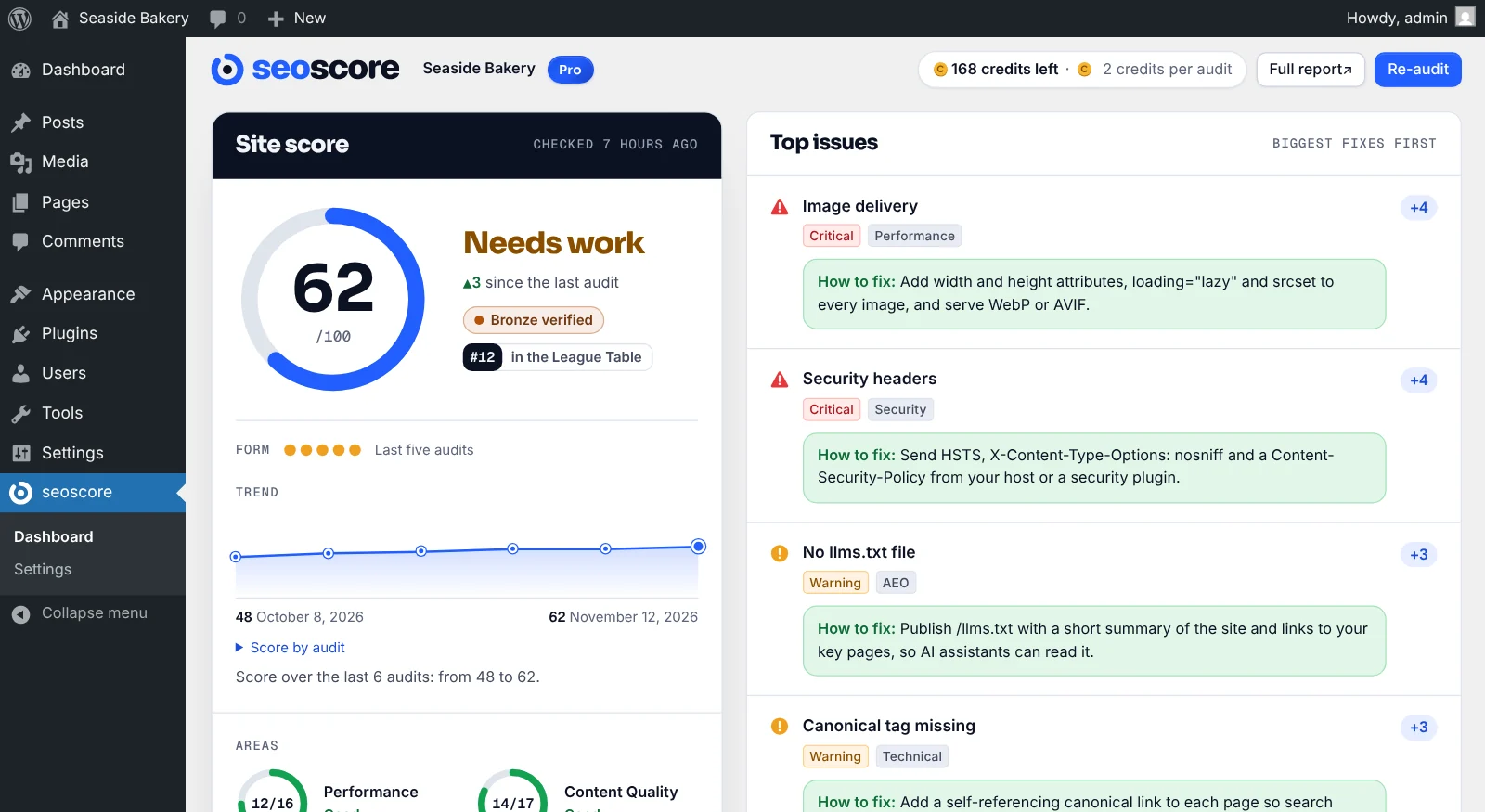
The seoscore screen in wp-admin: a score ring of 62 out of 100, Needs work, Bronze verified and number 12 in the League Table, a form guide and trend line, and a list of top issues with how to fix each one and the points it is worth.
The seoscore screen inside WordPress admin.

What the plugin does

It brings your seoscore audit into WordPress, so you can see what to fix and fix it without leaving the admin.

Your score in wp-admin

A seoscore screen in the admin menu shows your score out of 100, your League Table position, a score for each area, your trend and the top issues, each with how to fix it and the points it is worth. Re-audit the whole site after you make changes (2 credits) and watch the score update. This works on every plan, the Free plan included.
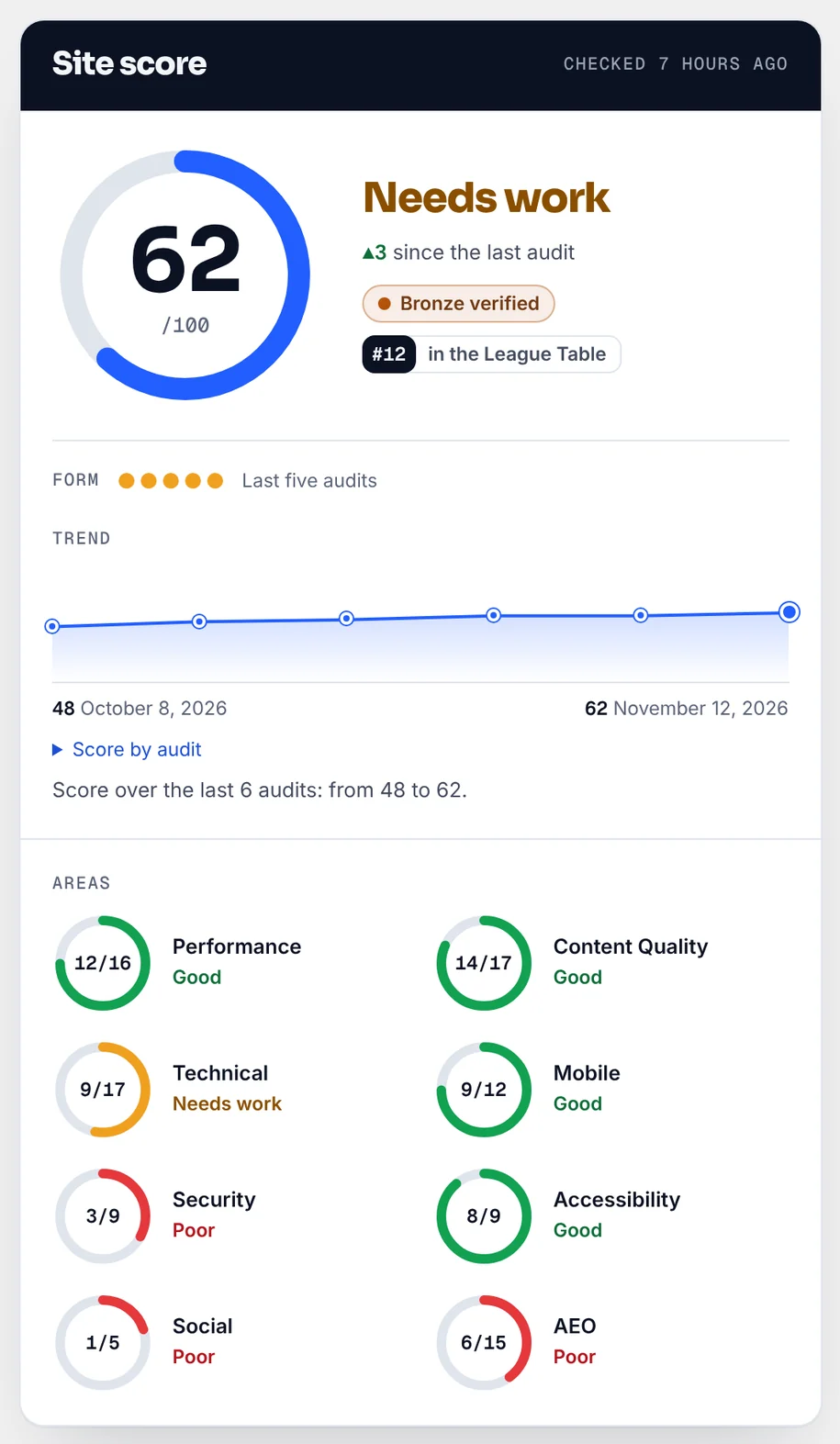
The Site score card in wp-admin: a score ring showing 62 out of 100, Needs work, up 3 since the last audit, Bronze verified, number 12 in the League Table, a form guide of the last five audits, a trend line over six audits, and a ring for each area such as Performance 12 of 16 and Technical 9 of 17.

A Dashboard widget

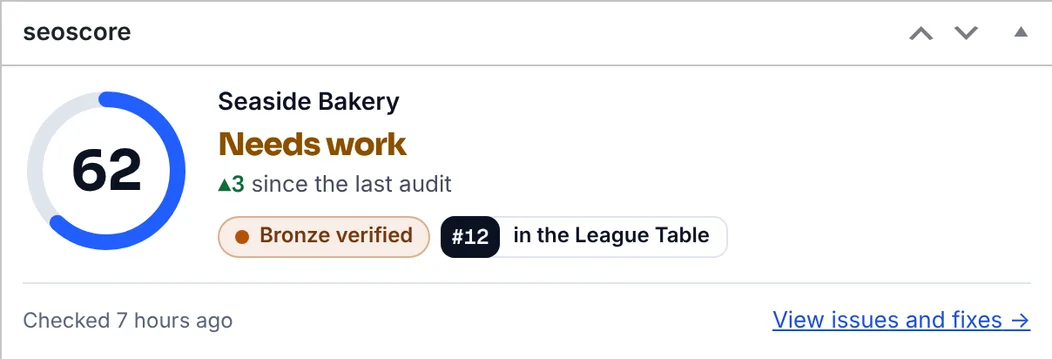
The score, tier, League Table position and change since the last audit sit on the main WordPress Dashboard, with a link to the issues and fixes.

The seoscore Dashboard widget: a score ring showing 62, the site name, Needs work, up 3 since the last audit, Bronze verified, number 12 in the League Table, and a link to view issues and fixes.

Checks and page audits while you write

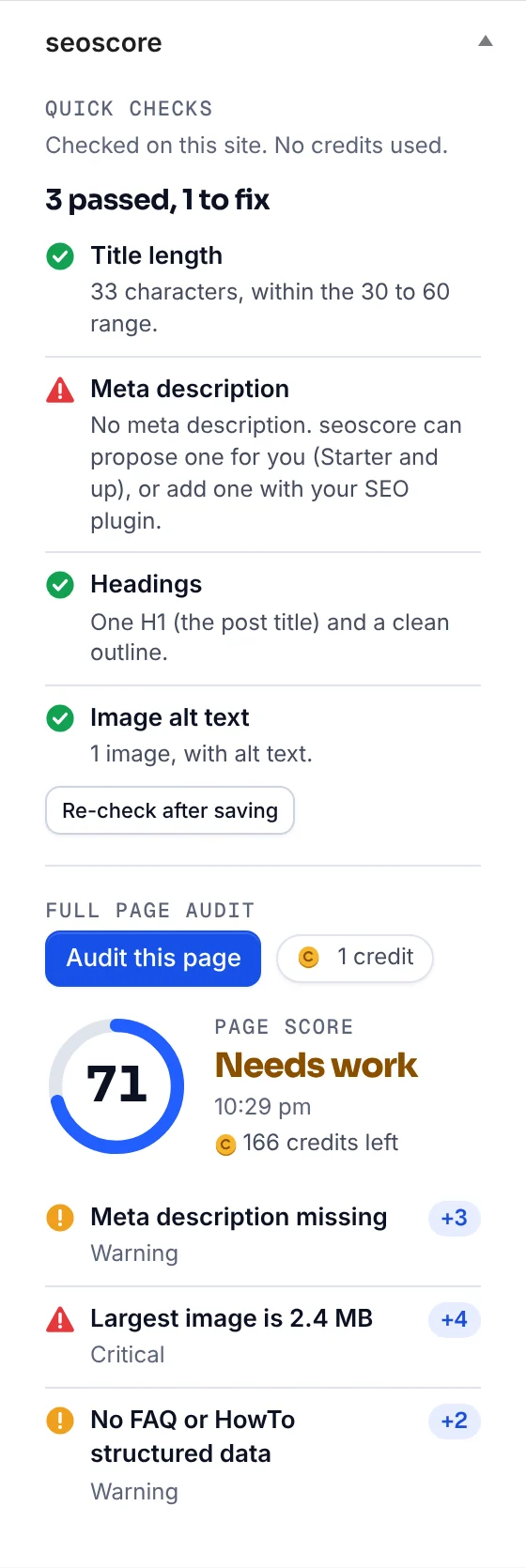
The editor box checks title length, meta description, headings and image alt text inside WordPress. These quick checks are free, need no account and send nothing anywhere. With a connected site you can also run a full audit of the page you are editing (1 credit).

The seoscore box in the post editor sidebar: quick checks for title length, meta description, headings and image alt text (3 passed, 1 to fix), an “Audit this page” button beside its 1 credit cost, and the page audit result: a page score of 71 with the issues found and the points each is worth.

One-click fixes, with undo

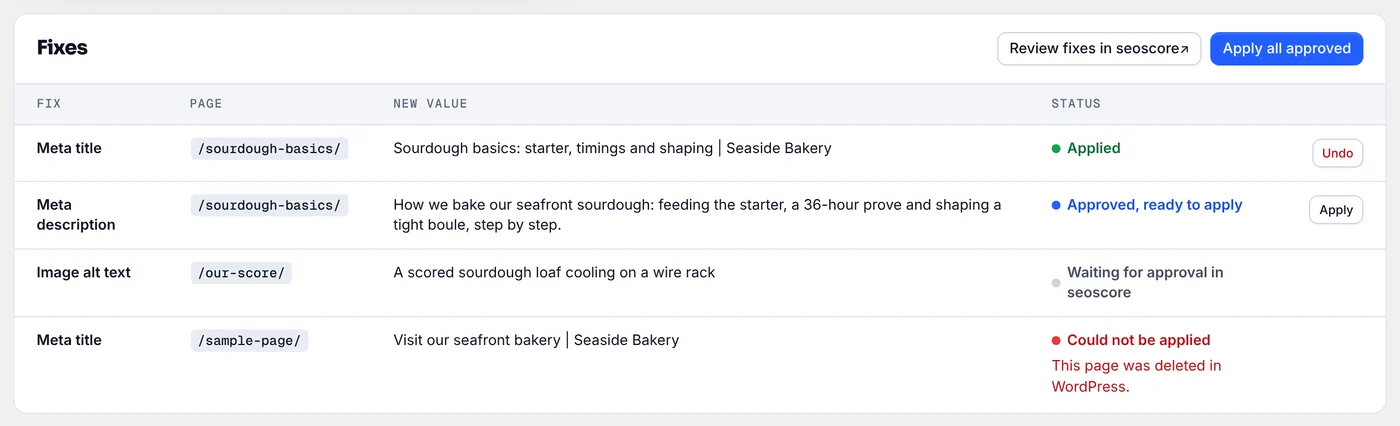
Approve title, meta description and image alt text fixes in seoscore, then apply them in WordPress in one click, on the Starter plan and up. Every fix keeps the previous value so you can undo it. Fixes are written to Yoast SEO, Rank Math, SEOPress or The SEO Framework when you use one; without an SEO plugin, seoscore prints the title and description itself.

The Fixes table in wp-admin: meta titles, a meta description and an image alt text, each with its page and new value; one applied with an Undo button, one approved with an Apply button, one waiting for approval and one that could not be applied because its page was deleted.

A badge block for your site

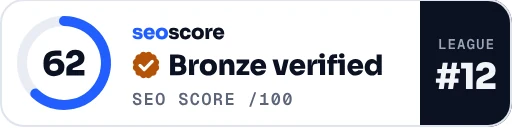
Show your verified score on any page with the seoscore Badge block or the [seoscore_badge] shortcode. It links to your public score profile, and you can turn the link off on any plan.

The seoscore score badge on a page: a score ring showing 62, “Bronze verified”, “SEO score /100” and League #12.

Connect in three steps

  1. 01

    Install

    Once it’s on WordPress.org, install and activate the plugin from the Plugins screen in WordPress.

  2. 02

    Connect

    Go to seoscore in the admin menu and click Connect. You need to be a WordPress administrator.

  3. 03

    Approve

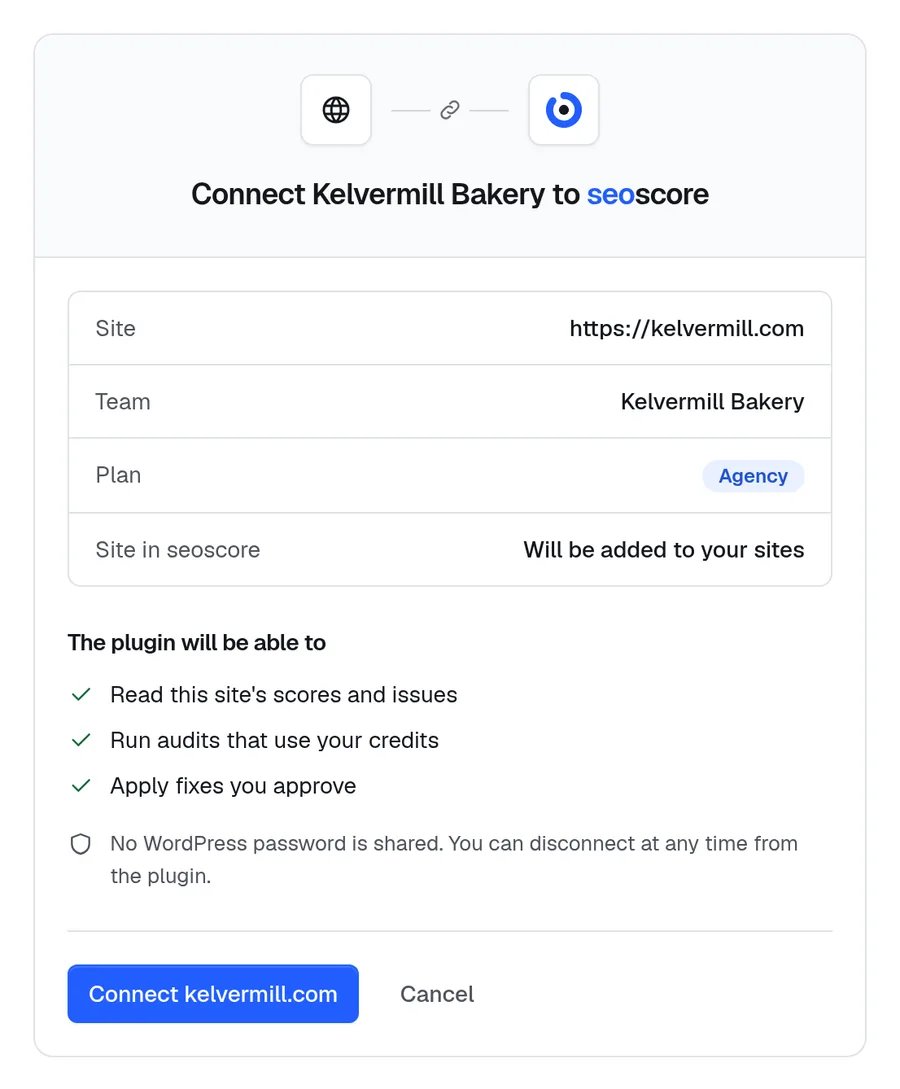
    Sign in to seoscore, check what the plugin will be able to do and approve. You are sent back to your WordPress dashboard.

The seoscore approval screen: “Connect Kelvermill Bakery to seoscore”, with the site, team and plan, and a list of what the plugin will be able to do: read this site’s scores and issues, run audits that use your credits, and apply fixes you approve. No WordPress password is shared.
The approval screen in seoscore.

Which plans include it

The editor quick checks are free with no account. Every plan connects a site, the Free plan included: your score, issues, Dashboard widget, page audits and badge. Audits and page audits use your plan’s credits. One-click fixes come with the Starter plan and every plan above it.

  • Starter
  • Pro
  • Ranker
  • Agency
  • Enterprise
Compare plans

Questions

Do I need a paid plan?

No. The editor quick checks are free and need no account. Connect your site on any seoscore plan, the Free plan included, for the score screen, Dashboard widget, page audits and badge; audits use your plan’s credits. One-click fixes come with the Starter plan and up.

What does the plugin send to seoscore?

Nothing until an administrator clicks Connect. When you connect, it sends your site address, site name, WordPress version and plugin version, and seoscore checks a verification address or meta tag on your site to confirm you control it. While connected, the plugin requests your score, history, issues, fixes and badge details, sends re-audit and page audit requests when you click those buttons, and reports when a fix is applied, fails or is undone, with the previous value. seoscore fetches your public pages to audit them.

Does seoscore get my WordPress password?

No. seoscore never receives a WordPress password or application password. The connection uses a key that only works for your site, and the plugin pulls the fixes you approved and applies them itself.

Does it load anything from other sites in wp-admin?

No. The plugin’s styles, icons and logo are bundled with it, with no web fonts, CDN scripts or remote images in wp-admin. Its styles load only on the seoscore screens, the Dashboard and the post editor.

Which fixes can it apply?

SEO titles, meta descriptions and image alt text. Other fixes appear in seoscore with instructions.

Does it slow my site down?

Nothing runs on the front end except the optional badge and, when no SEO plugin is active, the title and description seoscore stored for a page. Pages that show the badge load the badge image from seoscore.

How do I disconnect?

Click Disconnect on the plugin’s Settings screen. The site key is revoked straight away, and uninstalling the plugin revokes it too. Fixes you already applied stay on your posts, and your site and audit history stay in your seoscore account. If you uninstall the plugin, titles and descriptions that seoscore printed itself (because no SEO plugin was active) are removed with it.

Using the plugin with a connected site is covered by our Terms of Service and Privacy Policy.

Bring your score into WordPress.

The plugin is coming soon. Create a free account and audit your site today, then connect it to WordPress when the plugin is out.